

Fix Fake-Looking AI Images
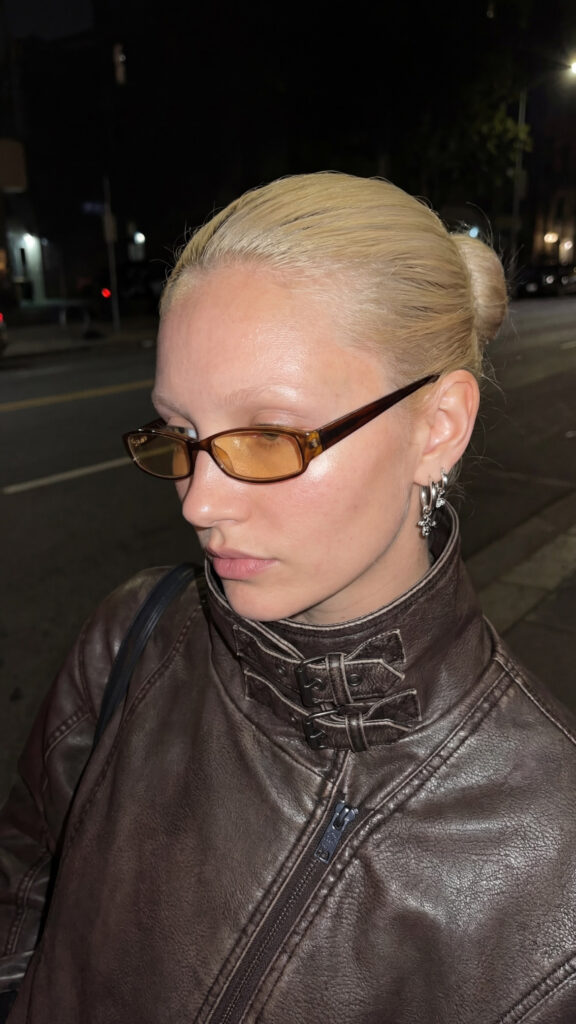
A practical workflow for achieving believable realism
AI-generated images often fail because they look too perfect: flat skin, plastic surfaces, and unrealistic lighting. Below is a simple but effective workflow to dramatically improve realism in AI images.
Step 1: Upload Your Image
Upload your AI-generated image into Nano Banana Pro (or a comparable image refinement tool).
Step 2: Apply a Realism Prompt
Paste the following prompt into the refinement field:
Prompt:
“Make this photo look hyperrealistic. Focus especially on the skin — add subtle natural skin texture including fine pores, soft micro-details, and realistic subsurface scattering. Include natural light reflections and highlights on the skin. Ensure fabric has authentic creases and folds with realistic shadowing.”
This prompt targets the most common realism failures in AI imagery:
- Over-smoothed skin
- Missing micro-texture
- Flat lighting
- Unrealistic fabric behavior
Step 3: Generate
Click Generate.
In most cases, this step alone will significantly improve realism and visual credibility.
Step 4: Push Realism Further (Advanced)
For next-level results, realism goes beyond texture alone. Advanced techniques include:
- Motion trails and micro-blur
- Spatial awareness and grounding
- Depth perception and lens behavior
- Subtle camera imperfections